SSH that stays connected.
Native Android SSH for your servers, containers and files.
$ admin@nas.lan
 servers.jpg
One app for the whole rack.
 detail.jpg
 terminal.jpg
 containers.jpg
 files.jpg
 ai.jpg
-
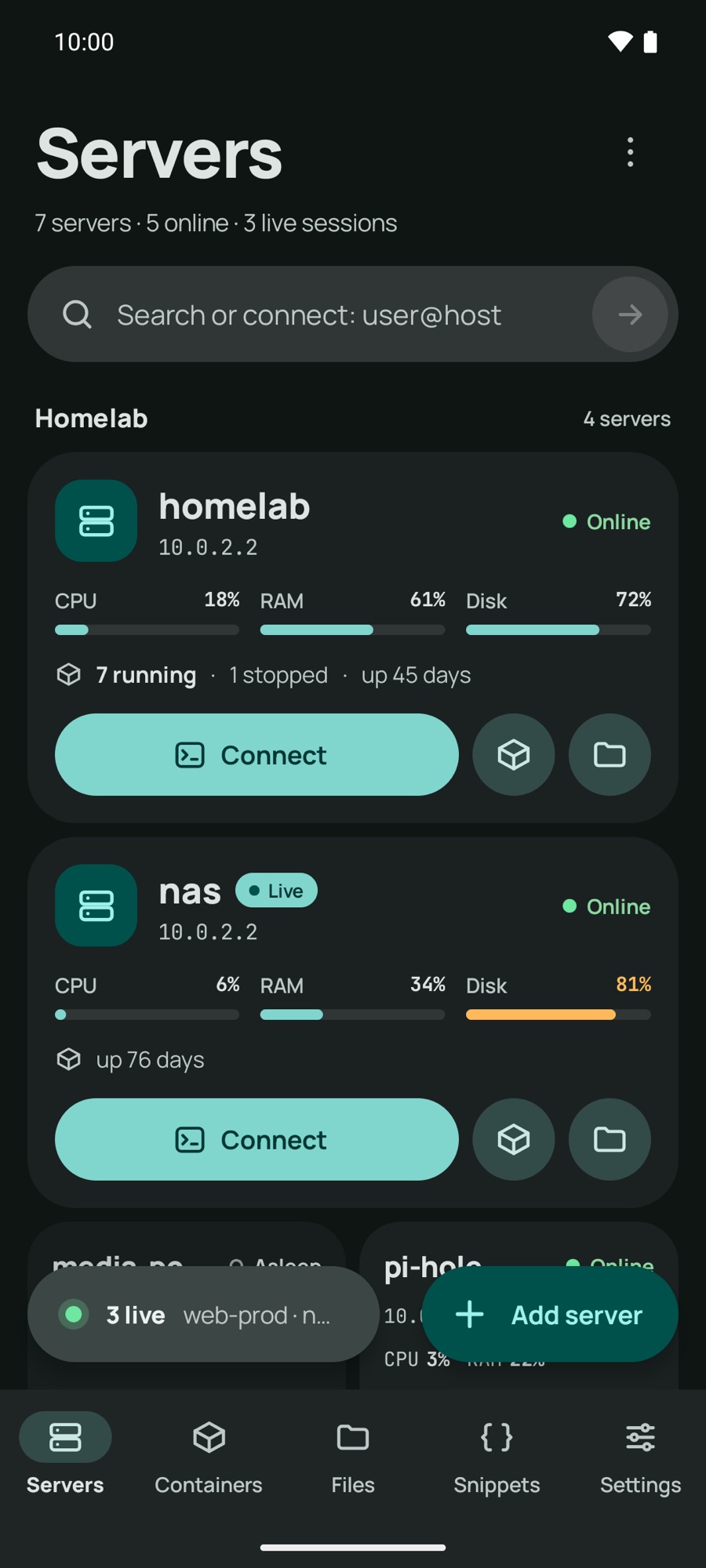
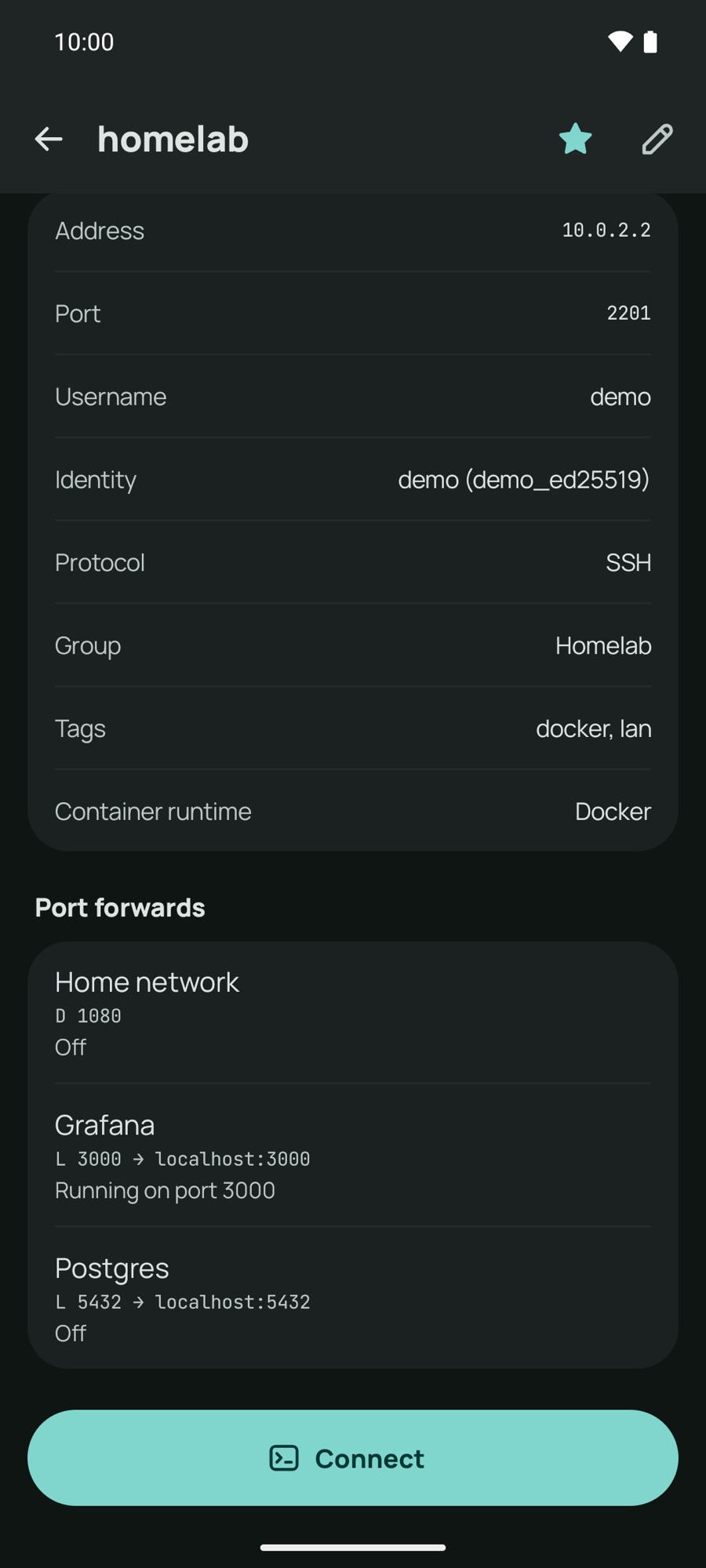
Every server, one page.
Saved details, identity and port forwards, with Connect always at the bottom. Asleep machines get Wake on LAN.
-
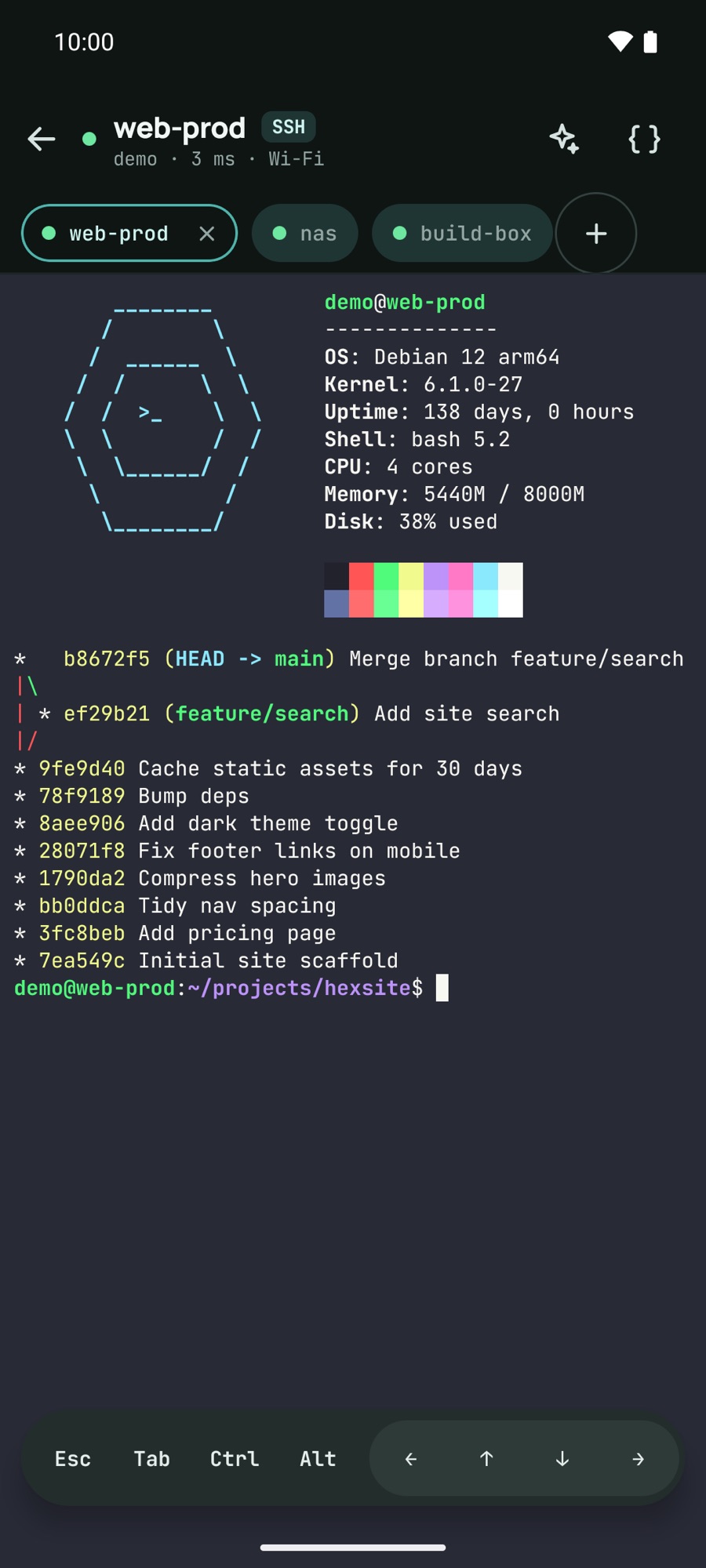
A terminal that survives the train.
Mosh, keep-alive and reconnect on network change. tmux attaches for you. Sessions run as tabs.
-
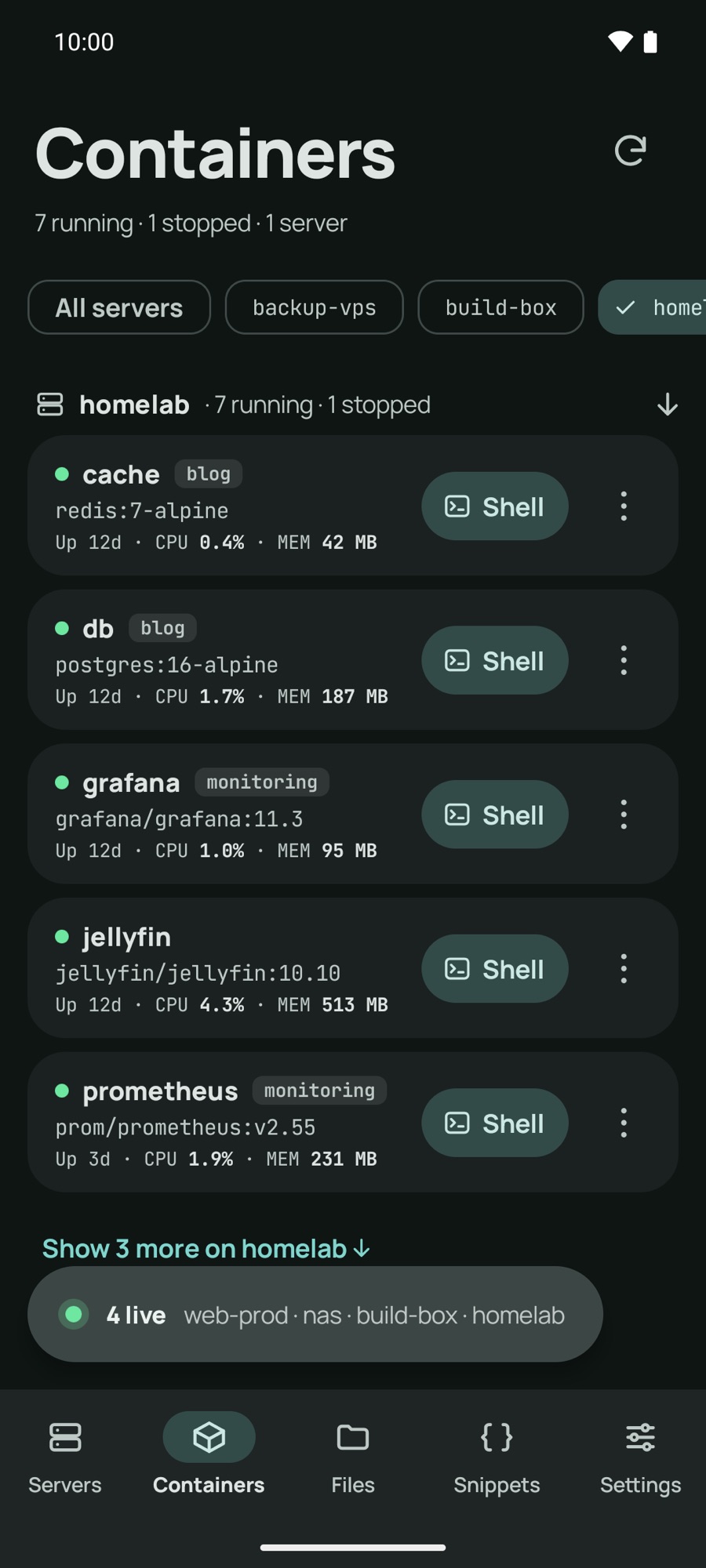
Straight into the container.
Docker and Podman shells, with bash falling back to sh. Pro adds the picker, logs and restart.
-
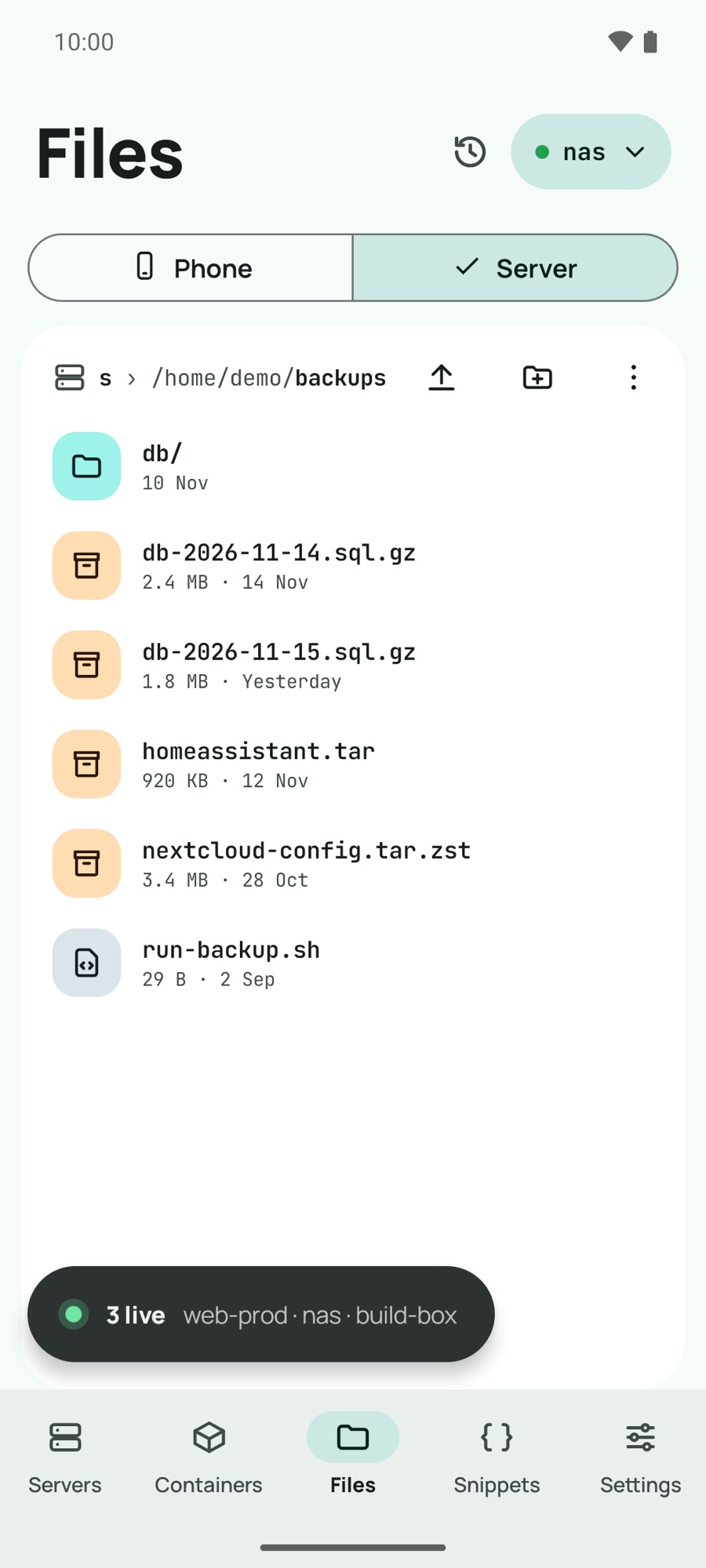
Files without a laptop.
Browse, rename and set permissions over SFTP. Uploads go through Android’s own file picker.
-
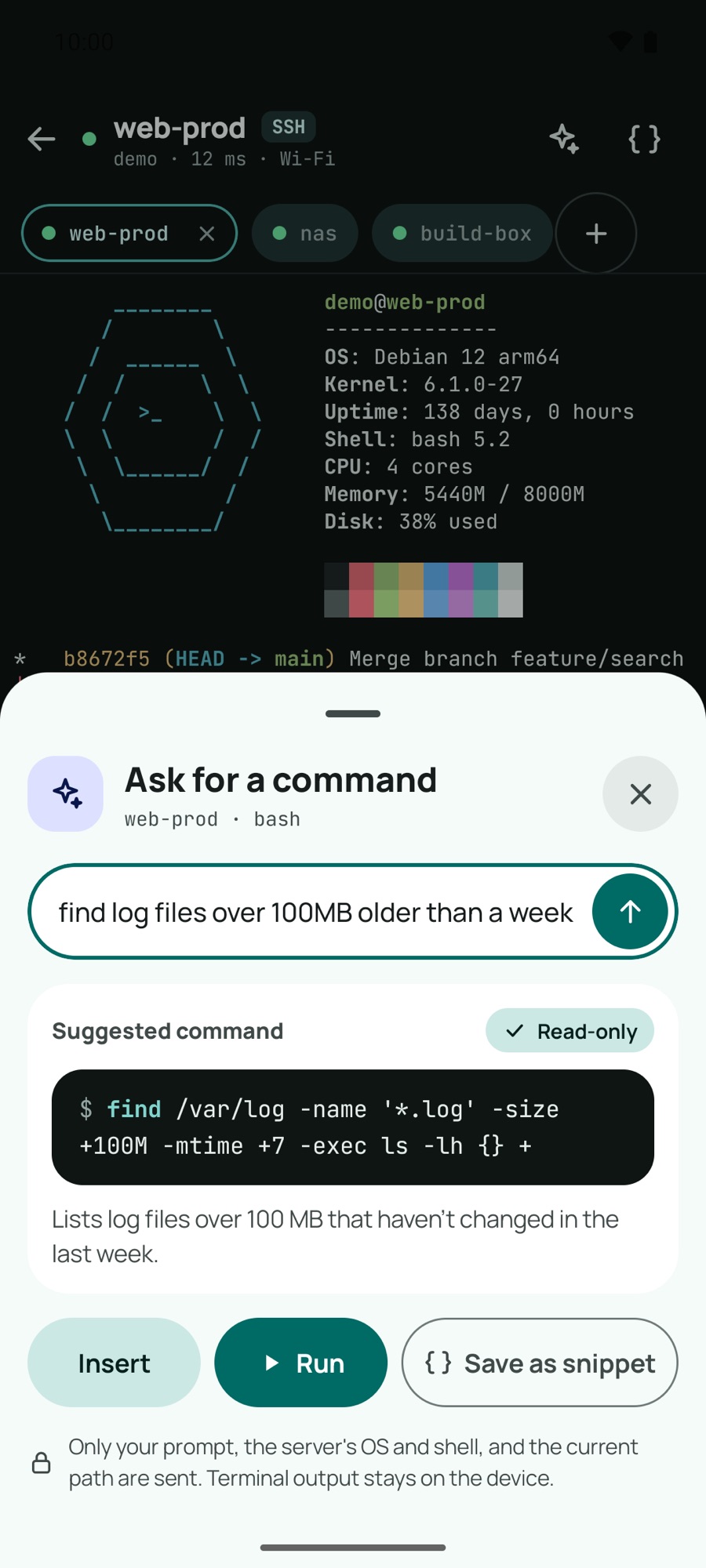
Ask for the command.
Describe it in plain English. Pro suggests the command and flags anything destructive. It never runs without your tap.
Free does the job.
No trial and no timer. This is the free app.
- connect user@host:port
- Quick connect, saved hosts, groups, tags and favourites.
- identities
- One user and key shared across hosts. Jump hosts and ProxyJump chains.
- keys ed25519 ecdsa rsa
- Generate on the phone or import OpenSSH and PuTTY. Kept in Android Keystore.
- mosh tmux
- Roaming sessions, auto-attach, reconnect after the network drops.
- terminal
- Truecolour, extra key row, OSC 52 copy, scrollback search, Nerd Fonts.
- snippets
- Saved commands, sent to the session with one tap.
- tailscale
- MagicDNS names and Tailscale SSH sign-in, beside the Tailscale app.
- local
- A shell on the phone itself, root with su on rooted devices.
- import juicessh ssh_config
- Bring hosts, identities and snippets with you.
- export
- Everything in one encrypted file, behind your passphrase.
Moving from JuiceSSH?
Your backup imports in one step: connections, identities and snippets.
- @@ what you’re running @@
- last release in 2021, delisted in 2025
- Pro licences that no longer check out
- maintained, with a public changelog
- native Kotlin, built for current Android
- source opened if development ever stops
Pro, paid once.
One purchase, no subscription, no account. Price: to be announced.
terminal
- Split view on tablets, foldables and DeX
- Custom themes and font import
- Session logging to file
- Session restore after Android closes the app
- Unlimited snippets, with variables
ai assistant
- Plain English to a command, aware of the host’s OS
- Explain an error and suggest a fix
- Your own Anthropic, OpenAI or OpenRouter key, or Ollama
- Never runs a command without your tap
containers
- Picker: running containers per host
- Logs, restart and stats from the list
- Containers saved as connections
- docker, podman or compose exec, per container
network
- Local, remote and SOCKS port forwards
- Open a forwarded web UI in one tap
- Tailnet discovery and Headscale
- Agent forwarding and FIDO2 security keys
files and sync
- Two-pane SFTP: phone beside server
- Resumable transfer queue
- Edit a remote file in another app
- Encrypted sync to WebDAV, Drive or S3
at a glance
- Live CPU, RAM, disk and uptime on cards
- Home screen widgets for favourite hosts
- Serial over USB-OTG
Nothing to sign up for.
- 0
- # accounts
- 0
- # ads
- 0
- # third-party analytics
- 1
- # purchase, for Pro
Keys are encrypted with Android Keystore and never leave the phone. The AI assistant is off until you turn it on, and strips hostnames before anything is sent.